
Imagine controlling a drone without an app, a radio transmitter, or a single line of joystick input. You call a phone number, say “take off to five meters,” and the aircraft responds. This tutorial walks through a voice controlled drone system that stitches together a phone call, a large language model, the Model Context Protocol (MCP), and ROS 2 to turn spoken commands into real flight.
The system uses Twilio to receive a phone call, OpenAI to understand what you say, and an MCP server to translate that intent into drone “skills” running on top of PX4. You speak naturally, the AI interprets the command, and the drone takes action.
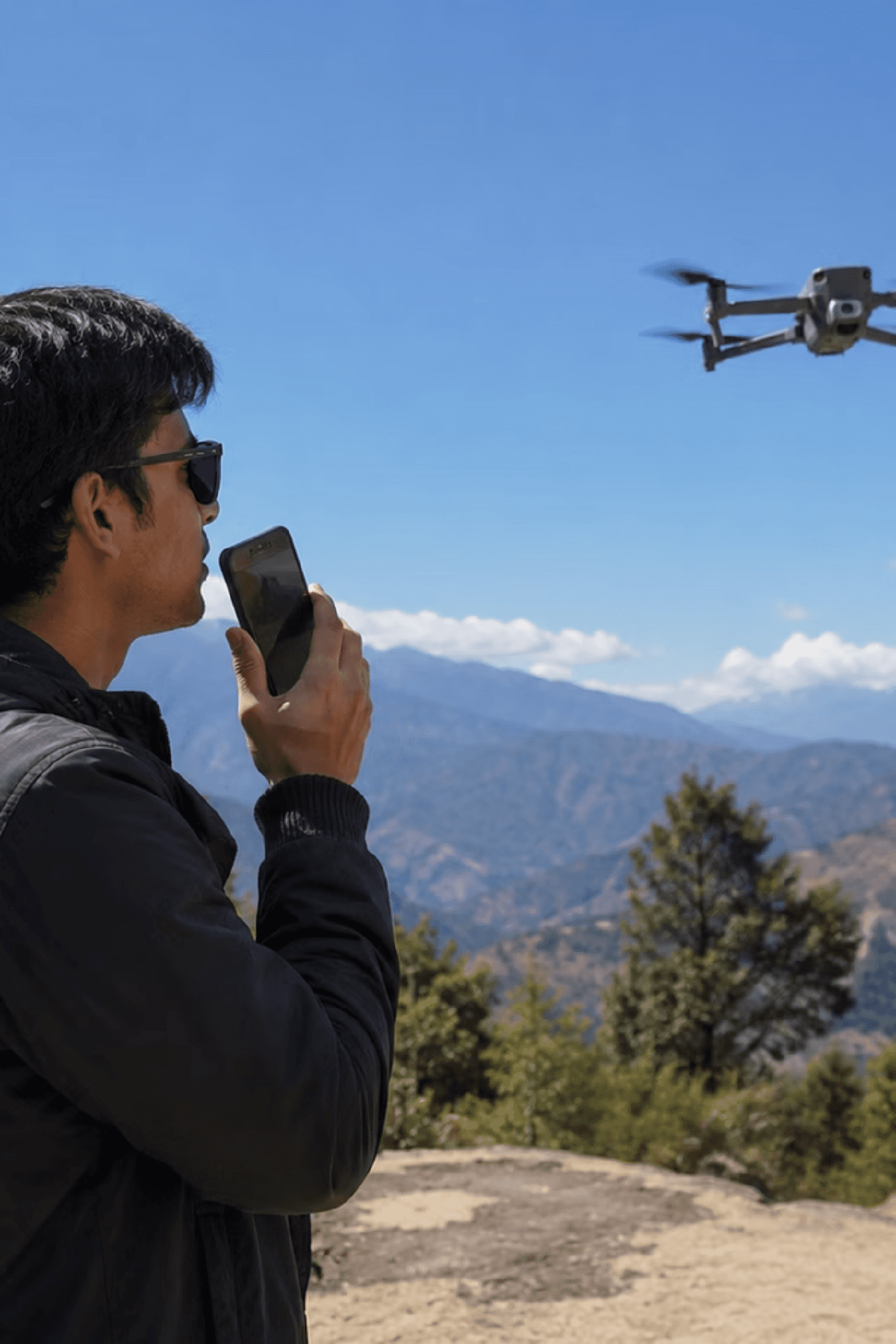
By the end, you will understand how the pieces fit together, how to set up and configure each service, how to launch the full stack in simulation, and what to watch out for around safety and reliability.
Feel free to follow along with the video or the written version below.
Phoning in Your Drone Commands
Flying a drone well takes practice and expertise, and most software developers never get that practice. The typical workflow is to keep the drone on the desk, connected over USB, and to program it there. The code gets written and tested against a tethered aircraft, but real flying is a separate skill entirely.
When it comes time to actually fly, there is a real risk of crashing, because writing flight software and piloting an aircraft are not the same thing. Manual drone control requires training. It can be intuitive, but without time on the sticks, you can easily crash and say goodbye to a couple hundred dollars. It’d be way cooler to just tell a drone to move a few meters to the right.
The core idea is simple to describe: you dial the drone. You call a phone number served by Twilio, speak a command, and the system flies the aircraft for you. There is no app to install on the phone, because the interface is just a regular phone call.
Behind that phone call, three capabilities are joined together. Twilio handles the voice and webhooks. An LLM reasons about your spoken request and turns it into a structured instruction. MCP bridges that instruction to the hardware, exposing ROS 2 drone commands as callable “skills.” The drone runs PX4, and the same stack can fly a simulated aircraft in Gazebo before you ever risk real hardware.
How much control you expose is up to you. Any ROS 2 command that can move the drone or operate its camera can be surfaced through MCP, so the API you write defines what the voice interface can do.
Whose Left?
Voice commands raise an obvious question: when you say “left,” left relative to whom? The caller and the drone rarely face the same way.
The system resolves this by anchoring directions to the drone, not the caller. The direction the drone is pointing is treated as forward, and forward is considered north. Every movement command is interpreted relative to the drone’s own heading, so “move forward ten meters” always means ten meters in the direction the aircraft is currently facing.
System Architecture
The end to end flow is a short pipeline. Your voice enters through a phone call, gets transcribed and understood by the LLM, is translated into drone skills by the MCP layer, and is executed through ROS 2 against a PX4 flight controller. Gazebo and PX4 provide the simulation and flight control layer underneath.
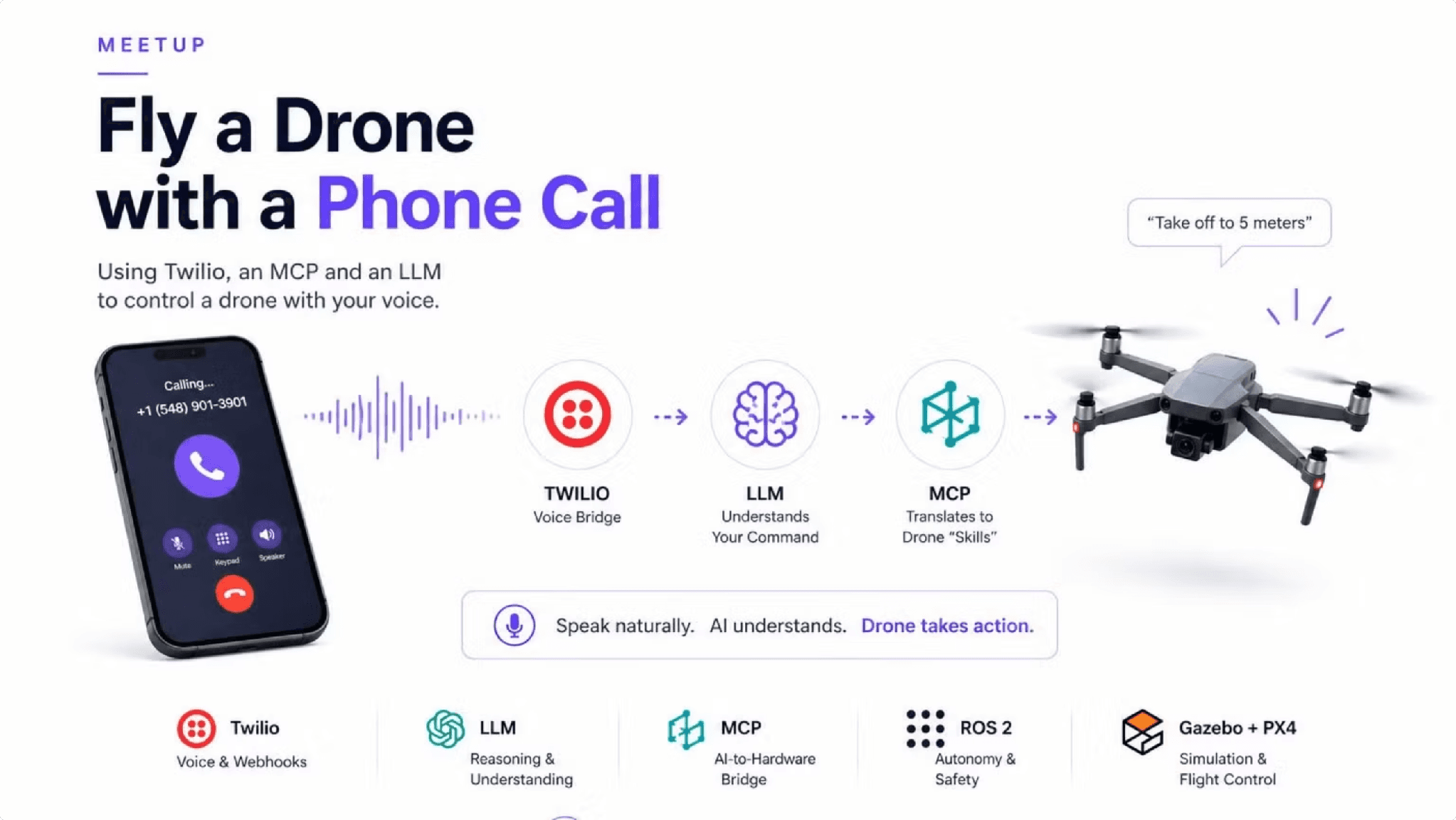
System overview: a phone call flows through Twilio (voice bridge), to an LLM that understands the command, to MCP which translates it to drone skills, and out to the drone. The base layer shows Twilio, LLM, MCP, ROS 2, and Gazebo + PX4.
Each box in that diagram maps to a real service you will set up:
Twilio receives the call and exposes voice and webhook handling.
LLM handles reasoning and understanding of the spoken command.
MCP acts as the AI to hardware bridge.
ROS 2 carries the autonomy and safety commands to the aircraft.
Gazebo + PX4 provide simulation and flight control.
You can find the project files on github.com/godfreynolan. We’re going to be drawing from the godfreynolan/autonomy-service and godfreynolan/voice-bridge repos.
The Voice Bridge
The voice half of the system builds on the OpenAI Realtime API combined with Twilio’s calling capability. That pairing is what lets you build an AI calling assistant: Twilio brings the phone number and the audio stream, and the Realtime API brings live speech understanding and function calling.
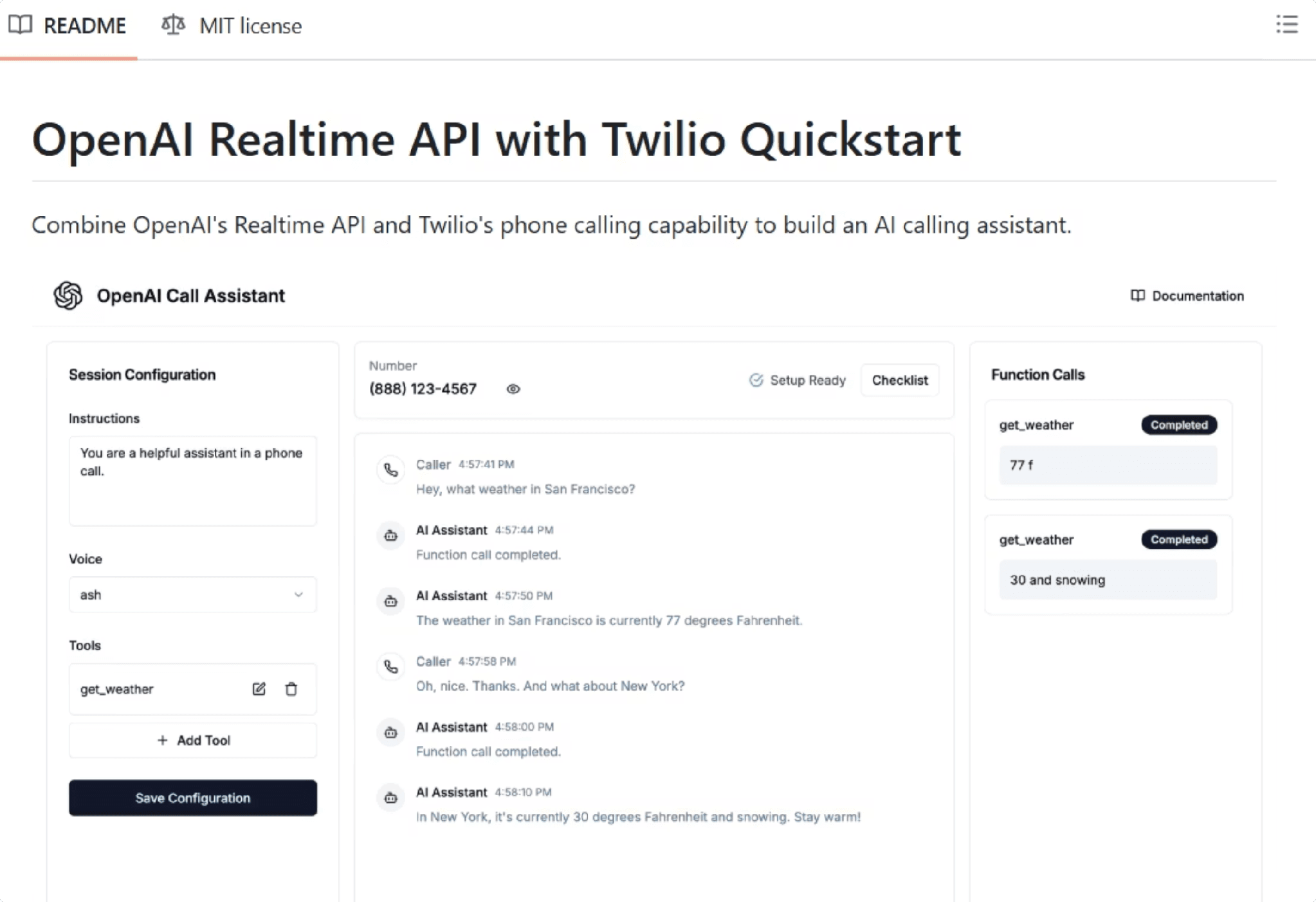
In this part of the application, the assistant listens to the caller, decides when a command has been issued, and emits a function call. Those function calls are the seam where spoken language becomes structured action that the rest of the system can execute.
What Is MCP?
The Model Context Protocol is the glue between the language model and everything it needs to act on. An AI application sits in the middle, and MCP gives it a standard way to reach out to external capabilities: web APIs, databases, code repositories, the local filesystem, and other tools.
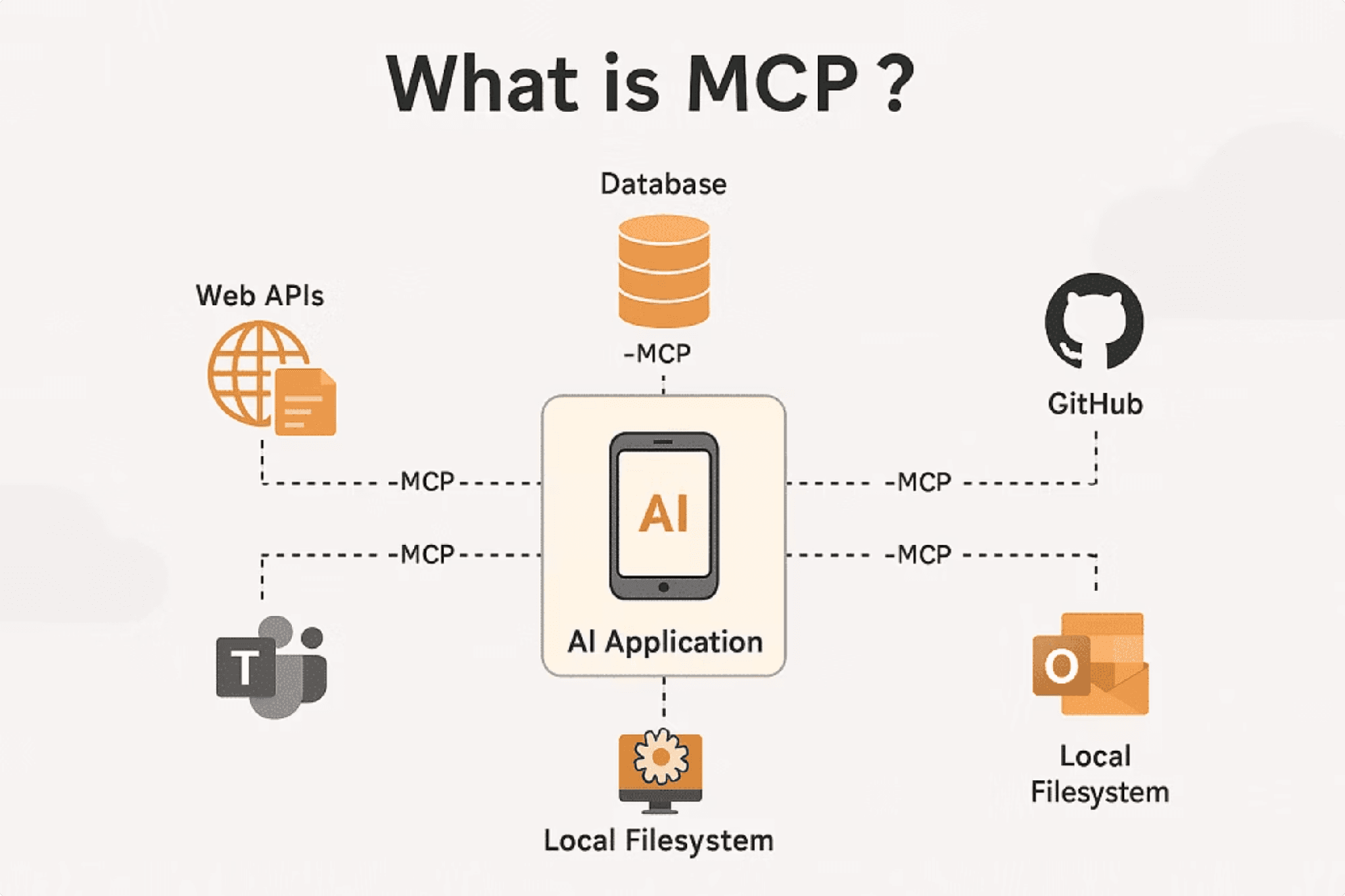
The same protocol that connects an AI to a database or a GitHub repository can connect it to a robot. That is the key insight this project exploits: if you can expose drone commands as MCP tools, the LLM can call them the same way it would call any other tool.
From MCP to ROS 2
To reach the drone, the system uses a ROS 2 MCP server. On one side sits an LLM with an MCP client, which can be any compatible model. On the other side sits ROS 2, where the MCP server forwards messages, services, and context to the drone or robot.
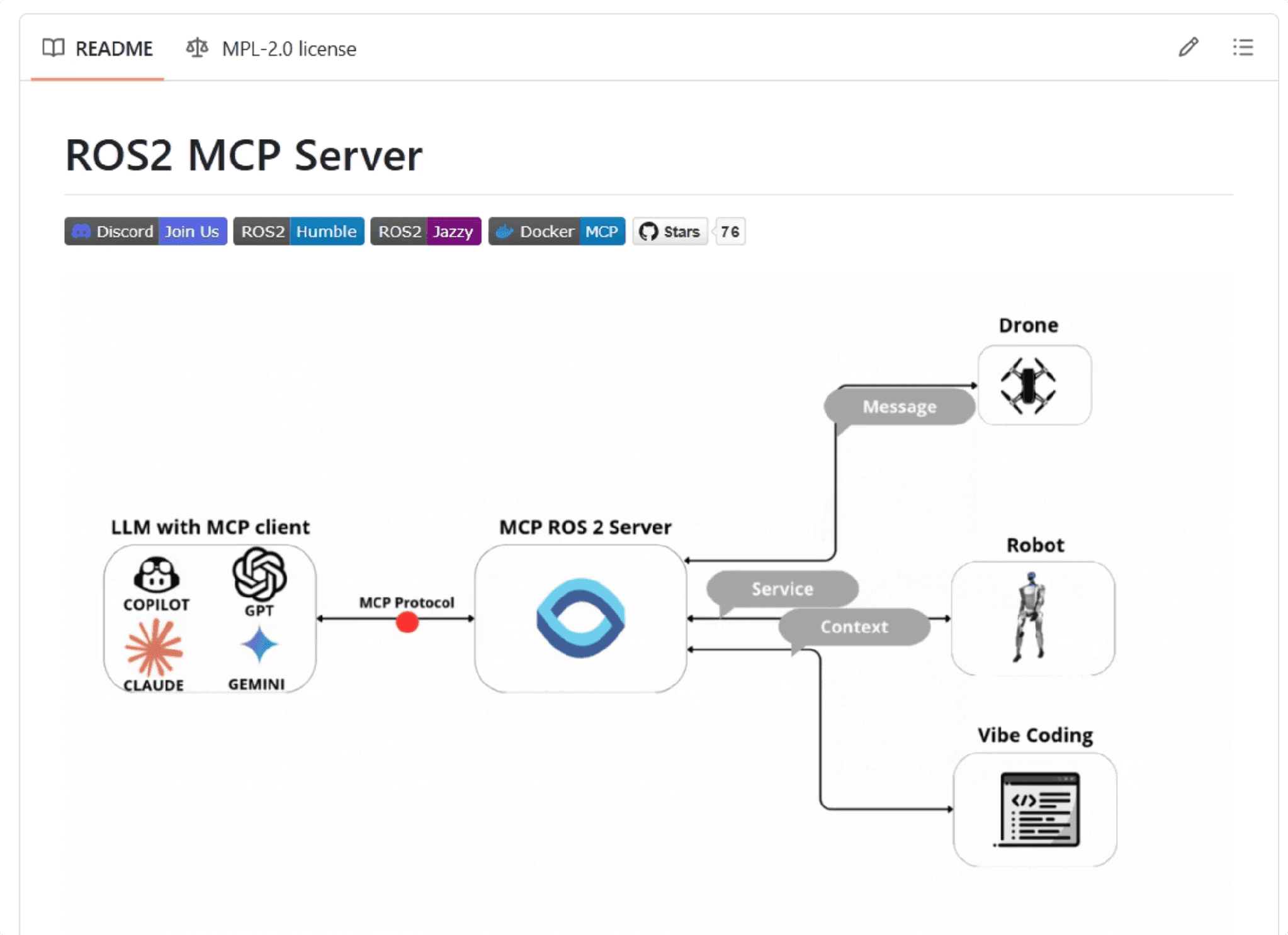
This project extends an existing open source ROS 2 MCP server rather than building one from scratch. The base server was taken and adapted, with additional capabilities added on top, most notably richer control over the drone’s cameras. Because the server speaks ROS 2, anything ROS 2 can command on the aircraft can be wired into the voice interface.
Use Cases
A voice first interface to a robot opens up applications well beyond convenience. The same approach generalizes to any situation where speaking is easier or safer than operating manual controls.
Search and rescue: deploying robots in dangerous or hard-to-reach environments to locate and assist survivors.
Inspection: industrial and infrastructure inspection using autonomous robotic systems.
Military and defense simulations: realistic defense training and simulation environments powered by robotics.
Education and robotics training: hands-on learning experiences for students and professionals.
Accessibility: voice-first robotics enabling greater independence for people with disabilities.
Setup and Installation
Okay, now that we have the pipeline described and all the definitions out of the way, let’s get going. Getting the system running starts with cloning three repositories: the voice bridge, the autonomy service, and PX4 itself. Group them under a single project directory so the services sit side by side.
With the repositories in place, set up the voice bridge’s Python environment. Create a virtual environment and install its dependencies.
Configuration
The voice bridge and the autonomy service each read their settings from a .env file. Start with the voice bridge, which needs your OpenAI key, your Twilio credentials, and an ngrok token to expose the local webhook endpoint to the internet.
The autonomy service has its own .env that points ROS 2 and MAVROS at the flight controller and configures the simulation and video stream. Setting SIMULATION_MODE=true keeps everything in Gazebo so you can test without a physical aircraft.
Launching the System
The stack comes up in three terminals: the autonomy service, the simulator, and the voice bridge. Bring up the autonomy service first using Docker Compose.
Next, start the PX4 SITL simulator with a Gazebo model. The gimbal equipped x500 gives you a controllable camera to go with the airframe.
Finally, activate the voice bridge environment and run it.
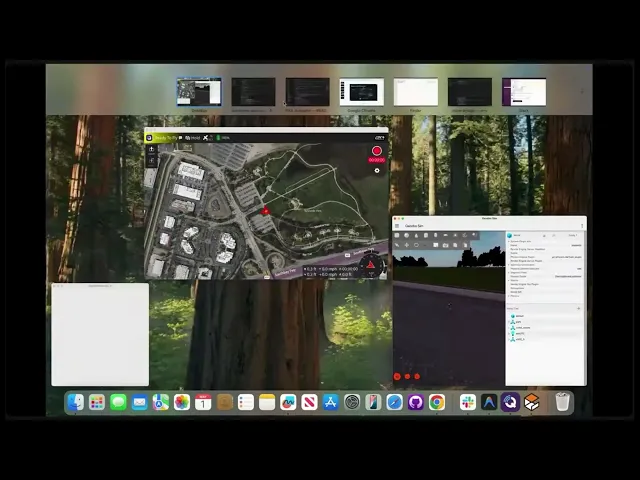
With all three running, open QGroundControl to monitor the aircraft, then call your Twilio number and start issuing commands.
Commands to Try
Once you are connected, speak naturally. The system maps phrases like these onto flight actions:
“Take off to 5 meters”
“Move forward 10m”
“Turn right 90 deg”
“Land”
Troubleshooting
A few rough edges show up on a fresh install, and most have quick fixes.
Drone won’t arm? Open QGroundControl first to establish the link before sending commands.
Slow first PX4 build. This is normal. Subsequent builds are fast.
Ngrok URL changes. Add a permanent auth token to your config. If automatic tunneling fails, run
ngrok http 8000in a terminal.Docker slow on first run. Expected behavior while it pulls images.
Safety Considerations
Handing flight control to an AI that interprets speech introduces real risk, and the system should never be flown without guardrails. Build in a command validation layer, enforce geofencing, require confirmations for risky actions, and implement an emergency stop.
Warning: Always keep a remote controller connected and a capable pilot ready to take over. A voice command misheard or misinterpreted can put the aircraft in motion, so a human with a transmitter must be able to override the system at any moment.
These are not optional niceties. Voice control removes the operator’s hands from the controls, which makes a reliable manual fallback the single most important safety measure.
Challenges and Limitations
The approach works, but it lives with several constraints worth understanding before you rely on it:
Latency in the voice to AI to execution path adds delay between speaking and moving.
Speech recognition reliability is never perfect, and misheard commands have consequences.
Safety constraints must account for the risk of AI hallucination producing an unintended command.
Network dependency on Twilio and ngrok means connectivity problems become flight problems.
Future Improvements
There is plenty of room to extend the system. Natural next steps include multi-drone coordination, a visual feedback loop that combines the onboard camera with the AI, and moving inference to the edge to remove the cloud dependency. A dedicated mobile app could replace the phone call, and autonomous mission planning could layer higher-level goals on top of the per-command interface.
Conclusion
A phone call, a language model, MCP, and ROS 2 are enough to fly a drone by voice. The architecture keeps each concern separate: Twilio handles the call, the LLM handles understanding, MCP bridges to hardware, and PX4 handles flight, with Gazebo standing in for the real aircraft during development. Start in simulation, keep a safety pilot on the controls, and you have a natural language interface to a drone that any developer can extend.
Additional Resources
voice-bridge: https://github.com/godfreynolan/voice-bridge
autonomy-service: https://github.com/godfreynolan/autonomy-service
PX4 Autopilot: https://github.com/PX4/PX4-Autopilot
ROS 2 MCP server (Wise Vision): https://github.com/wise-vision/ros2_mcp
OpenAI Realtime + Twilio demo: https://github.com/openai/openai-realtime-twilio-demo
OpenAI Playground: https://platform.openai.com/playground